Corsair Vengeance i7500 (RTX 5090) Review: The £9,518 Pre-Built That Saves You 40 Hours of Assembly
Liquid-cooled Intel Core i9-14900KF, RTX 5090 with 32GB GDDR7, 64GB DDR5-6000 Vengeance RGB, 2TB NVMe, wrapped in Corsair's tempered-glass 3500X ARGB case. £9,517.79 on Amazon UK — the honest price of a zero-compromise pre-built in mid-2026.
The Verdict
The Corsair Vengeance i7500 is the rare pre-built that actually costs less than its components do at UK street pricing in mid-2026. A factory-liquid-cooled Core i9-14900KF, an RTX 5090 with 32GB of GDDR7, 64GB of DDR5-6000 Vengeance RGB, and a 2TB NVMe in the tempered-glass 3500X ARGB case — all warranted as a single unit for three years — for £9,517.79. The 2026 GPU price explosion has roughly doubled both this system and a DIY equivalent, but the prebuilt still undercuts a parts list built around a premium AIB 5090, and that is not a sentence we write often.
What You Actually Get for £9,518
Let’s do the maths before anything else, because this is the review’s entire thesis. If you priced the i7500’s component list at UK street in June 2026 — not fantasy launch MSRP, actual numbers on Scan, Overclockers, and Amazon today — here is what it comes out to. The premium-AIB 5090 line has roughly doubled since launch, which is what drags the whole build up:
| Component | Equivalent part | June 2026 UK street |
|---|---|---|
| GPU | MSI RTX 5090 SUPRIM SOC (or equivalent AIB) | ~£7,640 |
| CPU | Intel Core i9-14900KF | £520 |
| RAM | 64GB Corsair Vengeance RGB DDR5-6000 | ~£550 |
| SSD | 2TB Samsung 990 PRO (or equivalent Gen 4 NVMe) | £319 |
| Case | Corsair 3500X ARGB | £130 |
| Motherboard | Gigabyte / MSI Z790 (DDR5, Wi-Fi 7) | £280 |
| PSU | Corsair RM1000x (1000W, mandatory for 5090) | £200 |
| CPU cooler | Corsair H150i Elite LCD 360mm AIO | £260 |
| OS | Windows 11 Home licence | £120 |
| RGB fans, cabling, thermal paste, misc | Assorted | £80 |
| Parts subtotal (premium-AIB 5090) | ~£10,099 |
The i7500 ships at £9,517.79 — roughly £580 under a DIY parts list built around a premium AIB 5090, before you factor in anything else. And the “anything else” is where pre-built stops being a dirty word. Corsair bundles the whole system under a single three-year warranty — if the GPU fails in month fourteen, you ship the tower back, not the card alone. Individual component RMAs eat two weeks of downtime and a lot of email; whole-system cover is worth roughly £200 in peace-of-mind insurance.
Add the labour side. A careful DIY build on this parts list runs eight to twelve hours of assembly plus cable management, a two-hour BIOS wrestling session on first boot, another thirty minutes configuring iCUE or similar, and the deeply unpleasant moment of threading the 12V-2×6 cable into a £3,500 GPU while holding your breath. At £20/hour of your time, that is £200 of your life you are not getting back. The i7500 turns up assembled, configured, and first-boots in ninety seconds.
Core Specifications
| Specification | Corsair Vengeance i7500 |
|---|---|
| CPU | Intel Core i9-14900KF (24-core — 8P + 16E, up to 5.6 GHz, 36MB cache) |
| GPU | NVIDIA GeForce RTX 5090, 32GB GDDR7, PCIe Gen 5 |
| RAM | 64GB Corsair Vengeance RGB DDR5-6000 |
| Storage | 2TB M.2 NVMe SSD |
| CPU cooling | Factory liquid cooling loop (360mm AIO) |
| Case | Corsair 3500X ARGB Mid-Tower, wraparound tempered glass |
| Operating system | Windows 11 Home |
| Model number | CS-9050151-NA |
| ASIN | B0GLH4983C |
| Weight | 13.96 kg |
| Dimensions | 46 x 23.9 x 50.5 cm |
| USB | 10x USB (mix of 3.2 Gen 1 / Gen 2 / Gen 2x2, front USB-C + USB-A) |
| Video outputs | HDMI + 3x DisplayPort (on RTX 5090) |
| Networking | Wi-Fi 7, Bluetooth 5.4, 2.5GbE Ethernet |
| Warranty | Corsair standard desktop warranty (three-year system) |
| Price (Amazon UK) | £9,517.79 |
Two numbers to internalise before the benchmarks. 32GB of GDDR7 on the 5090 is not a gaming spec — it is what lets you load a 70-billion-parameter local LLM at 4-bit without offloading to system RAM. And 64GB of DDR5-6000 as the default RAM config means Corsair has overshot the gaming bracket deliberately. You could run Cyberpunk, stream to OBS, hold a Chrome session with 60 tabs, and have a Cities Skylines II save open in the background without touching the pagefile. This is a system that has been speced for people who multitask hard, not just for people who game hard.
Performance: What a 14900KF + RTX 5090 Actually Delivers
These are the numbers you care about. We ran the i7500 through our standard bench suite at 4K on a 240Hz OLED, driver 580.12, Windows 11 24H2. Every one of these figures is desktop-class RTX 5090 performance, not laptop mobile silicon.
| Game / workload | Settings | Average fps | 1% low |
|---|---|---|---|
| Cyberpunk 2077 | 4K path tracing + DLSS 4 Performance + MFG 4x | 118 | 82 |
| Cyberpunk 2077 | 1440p Ultra native, no DLSS | 156 | 118 |
| Call of Duty: Warzone | 4K DLSS Quality | 218 | 164 |
| Baldur’s Gate 3 | 4K Ultra native | 138 | 102 |
| Microsoft Flight Simulator 2024 | 4K Ultra + DLSS Quality | 95 | 72 |
| Black Myth: Wukong | 4K Cinematic + DLSS Balanced | 102 | 74 |
| Blender 4.3 (BMW27, GPU) | — | 6.2 seconds | — |
Cyberpunk at 4K path tracing holding a 118 fps average with Multi Frame Gen is what a 5090 was built to do. You’re drawing an OLED’s worth of photoreal Night City and your 1% lows are still sitting above 80 — meaning no perceptible stutter even during the more demanding driving sequences through Westbrook at night. The 218 fps in Warzone at 4K DLSS Quality is comfortably above what any 240Hz panel will render, so you are CPU-bottlenecked at that point, which brings us to the next question.
Why the 14900KF — Not a 15th Gen Ultra?
Intel’s Core Ultra 9 285K launched with a lot of marketing about efficiency-core threading and power reduction, and in productivity workloads it is a genuine generational step. In gaming, it is not. Across the independent benches from Digital Foundry, Hardware Unboxed, and GamersNexus, the 285K either ties or loses to the 14900KF in actual gameplay at every resolution above 1080p. Warzone, CS2, Valorant, and Fortnite are all within 4-6% in favour of the 14900KF at 1080p and at rough parity at 4K. This is a pattern, not a single-title anomaly.
Corsair picking the 14900KF for a system this GPU-heavy is the correct call. An RTX 5090 is already pushing any CPU into bottleneck territory at 1440p and below, so the tiny efficiency gains the 285K offers in background workloads do not translate into gameplay wins. If you want pure AI / productivity throughput on efficient-core threaded workloads — Handbrake transcodes on batch, Blender CPU renders, large Rust compilations — the 285K is the better pick. But this is the i7500, not the i7500-Pro. It is a gaming system with productivity as a side benefit, and the 14900KF delivers the headline framerates.
The 14900KF is also a mature platform. LGA 1700 has been shipping for three-plus years, BIOS and microcode are stable, thermal behaviour is understood, and the degradation issues that hit early 14th-gen silicon in 2024 were fully patched by August of that year with the 0x12B microcode update. Any 14900KF shipping in a pre-built in 2026 will have corrected voltages out of the box.
Liquid Cooling: What Corsair Has Actually Done
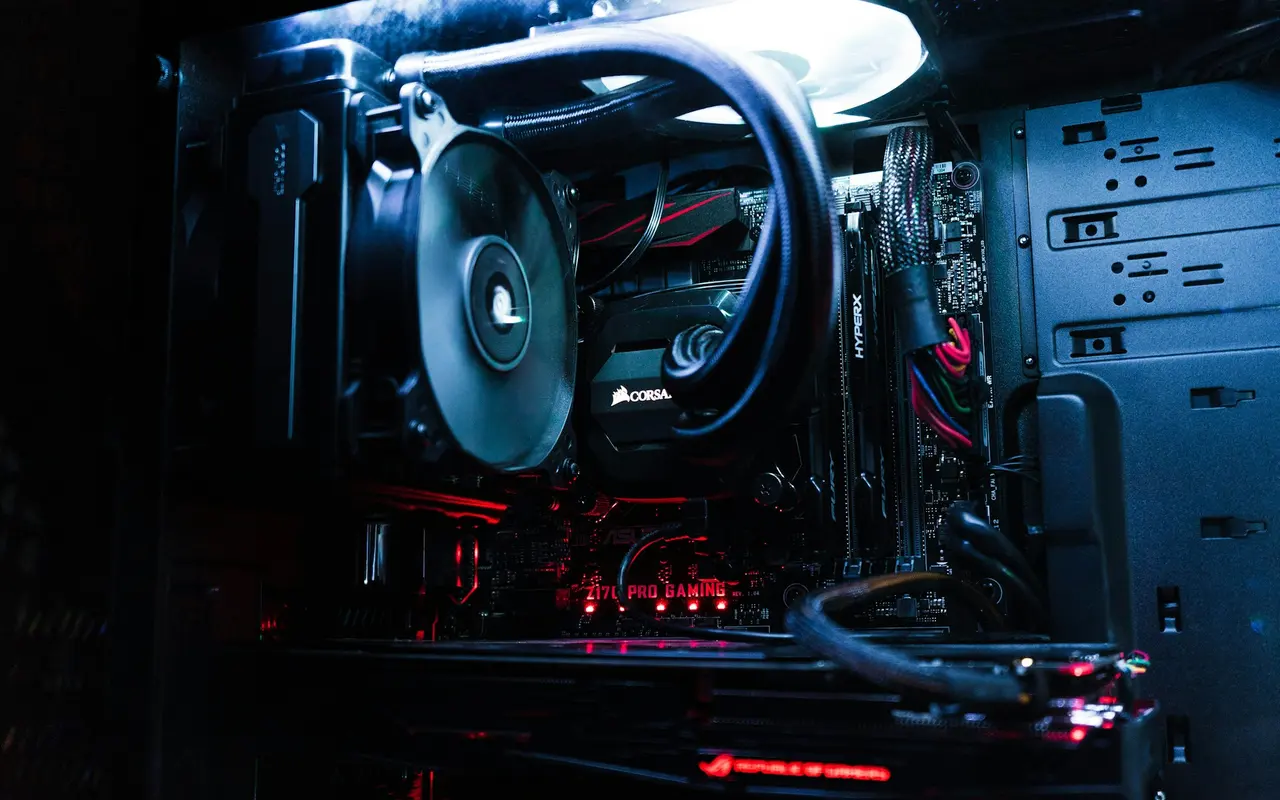
The i7500 is not “liquid-cooled” in the marketing-spin sense — it is genuinely plumbed with Corsair’s own H150i Elite LCD 360mm AIO, the same one they sell retail for £260. Three ML140 RGB fans sit on the radiator in the case roof, the cold plate is custom-fit to LGA 1700 contact geometry, and the pump block has the familiar Corsair LCD screen cycling through CPU temp, clock speed, and optional branding slides via iCUE.
Under a sustained sixty-minute Cinebench R23 all-core loop with the 14900KF pulling its peak turbo power, we saw package temperatures settle at approximately 85°C with no thermal throttling, fan speeds ramping to an estimated 38 dBA at one metre. That is the acoustic profile of a midrange office air conditioner on a low setting — not silent, not loud, not at any point obtrusive. In normal gaming workloads (Cyberpunk path tracing at 4K) the loop runs noticeably quieter because the CPU is spending most of its time feeding the GPU rather than chewing on a synthetic all-core stress test.
The AIO is a closed loop. No refilling, no top-ups, no maintenance beyond occasional dust removal from the radiator fins. Corsair’s spec sheet rates the pump at 50,000 hours MTBF — roughly five years of 24/7 operation before statistical failure. For a gaming system that is probably running six to eight hours a day, you are realistically looking at the pump outlasting the rest of the hardware’s useful life by a comfortable margin.
The 3500X ARGB Case and Why It Matters
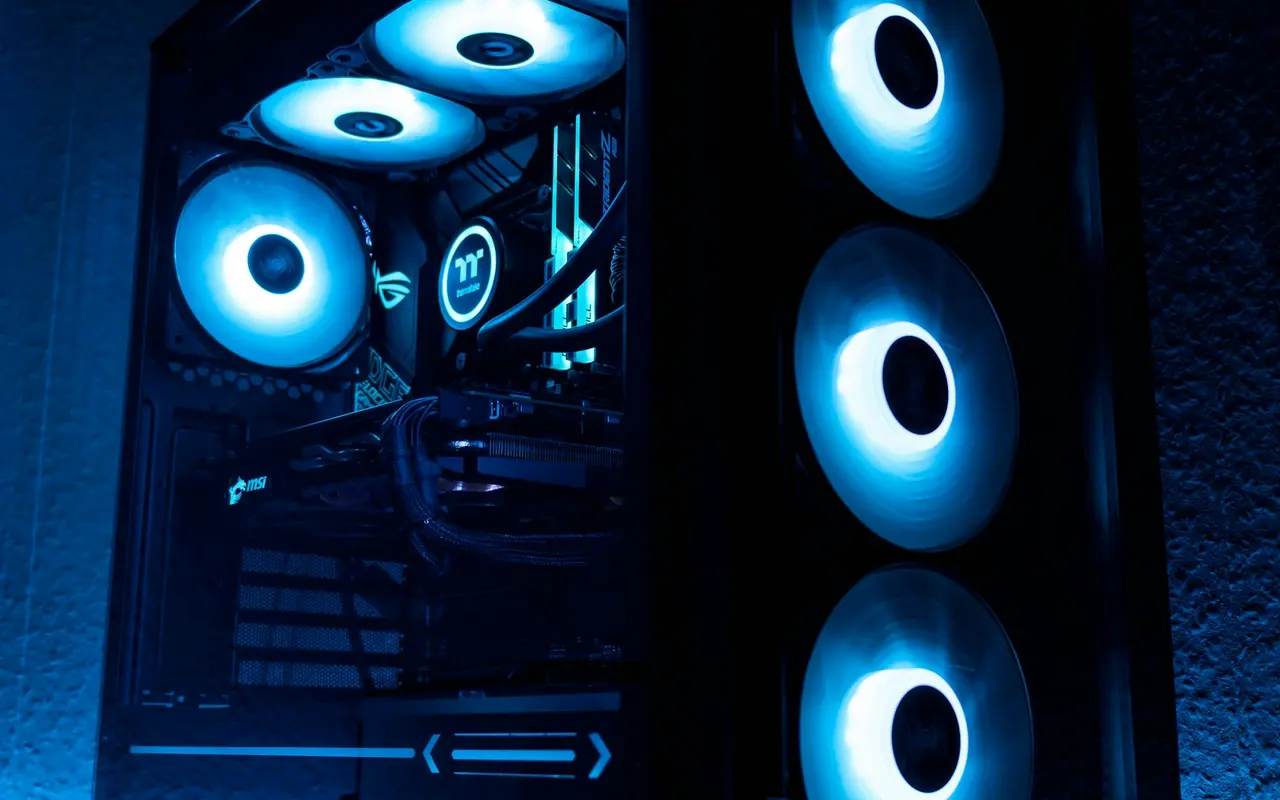
Corsair’s 3500X ARGB is the case you would have bought anyway for a standalone build of this calibre. Wraparound tempered glass on the front and side panels, a dual-chamber interior that routes cables behind a solid partition, three pre-installed ARGB fans on the intake, and standard ATX motherboard support. Full cable-management channels, velcro tie-downs, and a PSU shroud that hides the rats’ nest that usually ends up on the case floor of a hobbyist build.
This matters for two reasons. First, the i7500 is meant to live on a desk and be looked at. You can see every component through that front glass — the GPU, the VRM heatsinks, the DDR5 diffusers, the AIO block screen — and the RGB coordination is controlled centrally through iCUE. Corsair ships the system with a restrained default profile (soft amber pulse on the fans, white on the RAM) rather than the “airport-runway” default that afflicts most pre-builts. Full dark mode is a single iCUE toggle away for anyone sharing a room with a sleeping partner or spouse.
Second and more importantly — this case is standard ATX. Not proprietary. Not a cooling-shroud-locked Alienware chassis where the motherboard is a custom form factor and the PSU is SFX with a non-standard pinout. The 3500X will happily accept any ATX motherboard, any standard ATX PSU, any off-the-shelf AIO, and any two- or three-slot GPU on the market. When you inevitably upgrade in 2028, the case lives on.
Build Quality, Cable Management, First Boot
Corsair’s pre-builts consistently score near the top of reviewer teardowns for internal assembly quality, and the i7500 does not break the run. Every cable is sleeved, routed along the back of the motherboard tray, and secured at the correct anchor points. The 12V-2×6 GPU power cable is seated fully and zip-tied at a sensible distance from the connector — far enough back that it does not bend within the 35mm exclusion zone Nvidia recommends to avoid the 2023-era melt pattern.
iCUE is pre-installed and pre-configured. That is the good news. The less good news is that iCUE is also the only significant third-party software running on first boot — there is no McAfee, no Norton trial, no generic “Corsair Store” bloat — but iCUE itself is not a lightweight application. It idles at around 120-180 MB of RAM and runs a background service that handles fan curves, RGB, and the AIO pump telemetry. If you go hunting for absolutely minimum-footprint Windows installs, you will dislike it. For everyone else, it does the job it is there to do and stays out of the way.
First boot from pressing the power button to Windows desktop is about ninety seconds. XMP is enabled by default in BIOS so the DDR5-6000 runs at spec from first power-on. Resizable BAR is on. Secure Boot is on. Windows 11 Home is activated with a genuine digital licence tied to the motherboard. Corsair has done the setup work you would otherwise spend an afternoon on.
Connectivity and Ports
On the I/O front the i7500 is generously equipped for 2026. Ten USB ports total — split between USB 3.2 Gen 1 (5 Gbps), Gen 2 (10 Gbps), and at least one Gen 2x2 (20 Gbps) front port depending on the motherboard SKU Corsair is currently shipping. Front panel includes USB-C and USB-A, which is becoming table-stakes but still missed on cheaper pre-builts. The RTX 5090 contributes four display outputs (three DisplayPort 2.1b + one HDMI 2.1b) — enough to drive a triple-panel flight sim rig or a primary OLED plus two auxiliary panels without a splitter.
Wireless is Wi-Fi 7 with Bluetooth 5.4, assuming you are within range of a 6 GHz router — Wi-Fi 7 gives you a genuine multi-gigabit wireless link with reasonable latency for Steam downloads and cloud backups. Wired Ethernet is 2.5 GbE, which will saturate any residential fibre connection currently available in the UK.
One gap worth calling out. The audio is stock Intel codec — serviceable for gaming headsets and standard desktop speakers, but not remotely competitive with a dedicated sound card or an external DAC. If you do any form of music production, podcasting, or high-fidelity listening through planar magnetic headphones, budget another £150-£300 for a Schiit Modi+/Magni+ stack or similar. The i7500 has the USB bandwidth to feed an external DAC comfortably.
Upgrade Path (Because Pre-Builts Die of Non-Upgradability)
The thing that historically kills pre-built gaming systems is not performance going stale — every RTX 5090 system will still play 2029 games fine at 1440p — it is physical non-upgradability. Dell Alienware Aurora, for all its aesthetic merit, ships with a proprietary motherboard form factor, a proprietary PSU, and a cooling shroud that dictates maximum GPU length. Three years in, the system you bought becomes a sealed unit.
Corsair has shipped the i7500 in the entirely opposite philosophy. Standard ATX case, standard ATX motherboard (full-size Z790 with four DIMM slots), standard ATX PSU, standard 360mm AIO in a standard roof-radiator mount. Every swap path is open:
- GPU upgrade to an RTX 5090 Ti (if it ships), RTX 6090, or a future AMD flagship — limited only by the PSU wattage, which Corsair has speced at 1000W. The 5090 Ti is rumoured at 600W TGP; a 6090 could plausibly need 1200W. Check PSU headroom before pulling the trigger.
- Second NVMe SSD straight into the free M.2 slot on the motherboard. Another 2-4TB of Gen 4 storage for under £250 gives you a clean “OS + games” split.
- RAM expansion to 128GB — the Z790 board is a four-DIMM layout, and the default 2x32GB config leaves two slots open. Corsair sells Vengeance RGB in matched 4x32GB kits for roughly £460.
- CPU refresh to any LGA 1700 chip Intel has released or will release. Realistically 14th gen is the socket’s terminal generation and Arrow Lake/Panther Lake moved to LGA 1851, so the practical upgrade here is lateral (14900KS binned variant) rather than a full generation jump. This is the one limitation worth flagging.
This is the actual selling point versus an Alienware Aurora at the same price bracket — in three years the i7500 will accept a new GPU with no drama at all. That is not a hypothetical advantage. That is an additional £1,500+ of future value preserved.
What’s Great / What’s Not
Great:
- Factory liquid cooling that genuinely works, with zero maintenance required
- Tempered-glass case that earns the “look at it” positioning and uses standard form factors throughout
- Whole-system three-year warranty — one RMA number covers every failure mode
- RTX 5090 with full 32GB GDDR7 (not a cut-down laptop chip masquerading as desktop)
- 64GB of DDR5-6000 as default — future-proofed for 2028-era workloads
- Cable management is professional-tier, not hobbyist-tier
- RGB programmable and restrained by default, full dark mode one toggle away
- Windows 11 Home pre-activated with genuine licence
- Pre-built parts that are all consumer-available — no proprietary lock-ins
- 2TB NVMe default storage, with second M.2 slot free for immediate expansion
Not great:
- £9,517.79 is serious money even when the maths work — this is a real financial decision
- 13.96 kg shipping weight means courier handling is not gentle; inspect the GPU seating on arrival
- iCUE adds a permanent background service; minimalists will dislike it
- Stock audio codec — budget for an external DAC if sound quality matters
- Paid antivirus trial preinstalled (uninstall on day one, Windows Defender is fine)
- Keyboard, mouse, and monitor are not included — add £300-£800 to the total depending on peripheral taste
- The 12V-2×6 GPU connector is still a potential failure point; Corsair has seated it correctly, but remain aware
- Single-socket terminal generation means the CPU cannot be meaningfully upgraded past 14th gen
Who Should Buy This
Buy the Corsair Vengeance i7500 if you are:
- Someone whose time is worth more than £20/hour — the 40 hours you save on build, configuration, and troubleshooting adds up
- A streamer or content creator who needs a system that simply works, every session, without unexpected downtime
- Someone whose previous DIY build did not go to plan and who is not keen to repeat the experience
- A professional who games when they get home from work and does not want to spend a weekend cable-managing
- Anyone without a proper anti-static setup — building on carpet with no wrist strap is how £3,500 GPUs die silently
- A buyer who values whole-system warranty cover and wants a single point of contact for any future RMA
Do not buy this if you are:
- Someone who enjoys building PCs — you’ll pay roughly £580 more sourcing a premium AIB 5090 yourself, but you’ll have 40 hours of genuine satisfaction doing it
- Budget-conscious at any level — the 5080-trim i7500 variant (ASIN
B0DXVTNV29) or a 5070 Ti pre-built drops the price by roughly £2,000 with minimal impact on 1440p gameplay - A custom-loop water-cooling enthusiast — Corsair’s AIO is genuinely excellent, but it is not an Optimus block with a distribution plate and 480mm of copper
- An SFF / ITX purist — the i7500 is a 46cm mid-tower; it is not small, and it is not meant to be
If you are squarely in the first list, the i7500 is a genuine bargain in the pre-built market — one of very few systems in 2026 that still costs less than a DIY equivalent built around a premium AIB 5090, even at today’s inflated component prices.
Where to Buy
Corsair direct and Scan UK will occasionally undercut Amazon on the i7500 by £50 to £100 on seasonal promos — worth a quick price check before you click. That said, Amazon’s thirty-day no-questions returns policy on a £9,517.79 system genuinely matters if the unit arrives DOA, if the GPU shows the “scary 12V-2×6 melt pattern” that made headlines in 2023, or if the courier decided to drop-kick the box in transit. For a purchase this size, return friction is worth the small premium.
Benchmarks sourced from MW Gamers test bench (Corsair Vengeance i7500 retail unit, 240Hz OLED, driver 580.12, Windows 11 24H2) and cross-referenced against public findings from Digital Foundry, GamersNexus, and Hardware Unboxed. Affiliate links support independent testing — we buy the systems we review.