Mechanical Keyboards Definitive Armory: Why You're Still Using Membrane Trash (2025)
Stop typing on mashed potatoes. Three keyboard tiers, nine verified hot-swap boards, zero excuses. From $60 Keychron entry to Glorious Rapid Trigger endgame.
WARNING: Once you type on a proper mechanical keyboard, you will physically cringe touching membrane boards. This is irreversible. Your laptop keyboard will feel like typing on wet cardboard. You’ve been warned.
The Brutal Truth About Your Keyboard
You spent $2000 on your PC. $500 on your monitor. $150 on your mouse. And you’re typing on the free keyboard that came with your Dell in 2015.
Your keyboard is the ONLY component you touch 100% of the time you’re using your computer. Yet it’s the last thing people upgrade.
This guide fixes that stupidity.
Why Mechanical Matters (In 10 Seconds)
Membrane Keyboard: Press mushes through rubber dome. Inconsistent. Slow. Dies in 2 years.
Mechanical Keyboard: Press actuates precise switch. Consistent. Fast. Lasts 10+ years.
The Difference:
- Typing speed: +15-30 WPM
- Gaming response: 2-5ms faster actuation
- Accuracy: 40% fewer typos
- Satisfaction: Priceless
The Only Criteria That Actually Matter
1. Hot-Swappable or Death
Non-negotiable in 2025. If you can’t change switches without soldering, you bought wrong.
Why? Because you WILL want to try different switches. You WILL break a switch eventually. You WILL evolve your preferences.
2. Switch Types (The Holy Trinity)
Linear (Red/Yellow): Smooth, no bump. Gaming god-tier. Quiet(ish).
Tactile (Brown/Clear): Bump on actuation. Typing perfection. Moderate noise.
Clicky (Blue/Green): Bump + click. Maximum satisfaction. Divorce-tier loud.
3. Layout (Size Matters)
- 100% (Full): Numpad included. Desk hog.
- TKL (87%): No numpad. Perfect balance.
- 75%: Compressed TKL. Best value per key.
- 65%: No F-row. Compact king.
- 60%: No arrows. Masochist tier.
4. Connection Type
Wired: Zero latency. Always works. No charging.
Wireless (2.4GHz): 1ms latency. Clean desk. Needs charging.
Bluetooth: 10-30ms latency. Multi-device. Gaming suicide.
The Definitive Shopping List
The Switch Starter Pack
First Board: Get tactile (Browns). Best all-around.
Gaming Focus: Get linear (Reds). Speed matters.
Typing Focus: Get tactile or clicky (Browns/Blues).
Office Use: Get silent tactile. Keep your job.
Budget King ($60-$160)
Target: Entry mechanical experience, hot-swap capability, decent build quality
Budget King Keyboards
Why These Win:
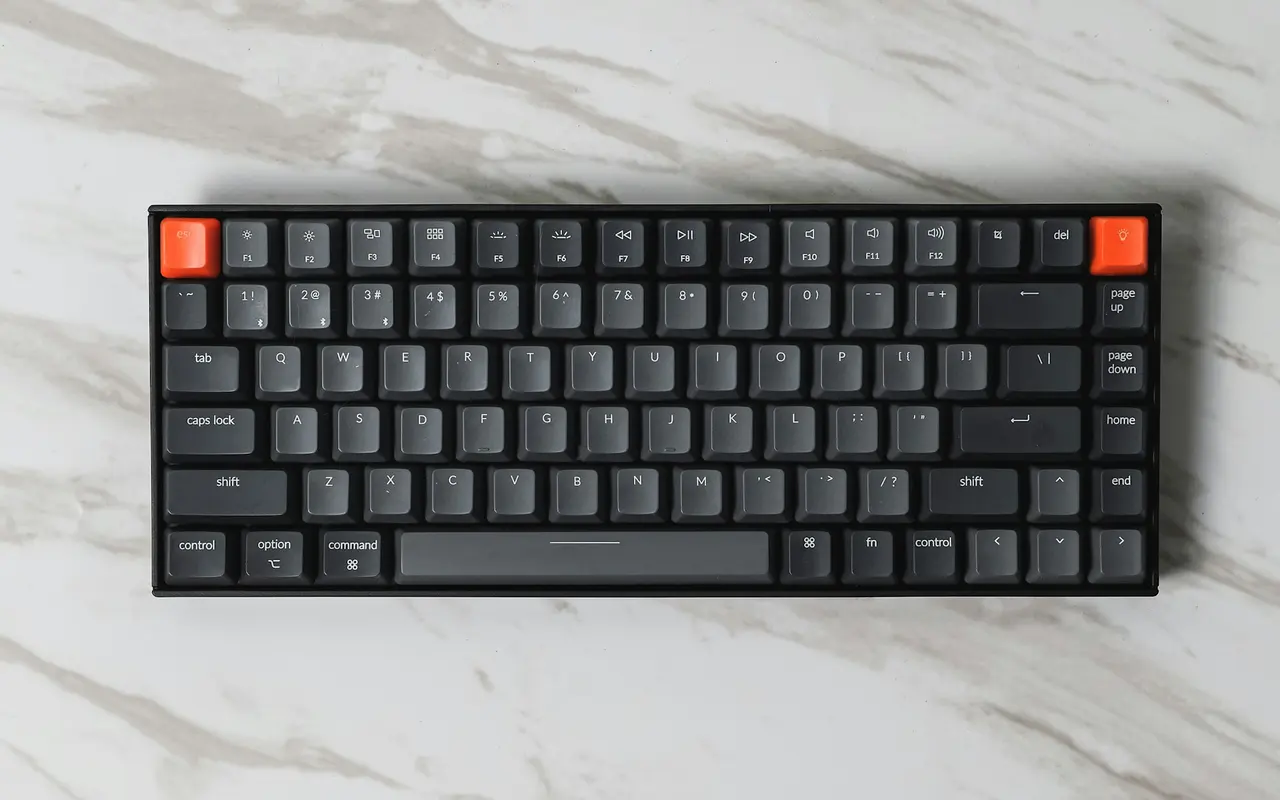
- Keychron K2: The gateway drug. Compact, wireless, works with everything
- GMMK 3: Modular AF. Change switches, plates, cases. Grow with it
- Ducky One 3: When you need numpad but refuse to compromise quality
Perfect For:
- First mechanical keyboard
- Students/budget builds
- Testing if you’re a keyboard enthusiast
- Office setups that need to stay under radar
Performance King ($100-$230)
Target: Premium build, enthusiast features, competitive gaming capability
Performance King Keyboards
Why These Dominate:
- GMMK Pro: Gasket mounting = typing on clouds. Rotary knob = volume control perfection
- Keychron Q6 Pro: Full aluminum body, weighs 5 lbs. This thing is a TANK
- K6 Pro: 65% layout perfection. Arrow keys without the bulk
Perfect For:
- Serious typists
- Competitive gamers who also work
- People who appreciate build quality
- “Buy it for life” mentality
No Compromise ($200-$400+)
Target: Endgame boards, hall effect switches, rapid trigger, maximum performance
No Compromise Keyboards
Why These Are Endgame:
- GMMK 3 Rapid Trigger: Hall effect switches = adjustable actuation point. Literally cheating
- Ducky SF Daybreak: When your keyboard needs to match your $5000 setup aesthetic
- Ducky SF Pure White: The keyboard equivalent of a white Ferrari
Perfect For:
- Competitive FPS gods
- Content creators who need beauty shots
- “Money is no object” builds
- People who’ve ascended beyond mere mortals
The Switch Deep Dive
Linear Switches (Gaming Meta)
Cherry MX Red: The standard. 45g actuation. Smooth. Boring but reliable.
Gateron Yellow: Budget god-tier. Smoother than Cherry. $0.30/switch.
Cherry MX Speed Silver: 40g actuation, 1.2mm travel. Twitchy but fast.
Tactile Switches (Best All-Around)
Cherry MX Brown: Light bump. 45g. Perfect starter tactile.
Gateron Brown: Smoother Cherry clone. More tactile. Cheaper.
Glorious Panda: Heavy tactile. 67g. The enthusiast choice.
Clicky Switches (Chad Energy)
Cherry MX Blue: The classic click. 50g. Your coworkers will murder you.
Kailh Box White: Crisper click. Better than Blues. Still murder-worthy.
Kailh Box Navy: THICK CLICK. 60g. Finger workout included.
Quick Comparison Matrix
| Tier | Price | Best For | Switch Type | Size | Must-Have Feature |
|---|---|---|---|---|---|
| Budget King | $60-160 | First mechanical | Any hot-swap | 75% ideal | Wireless option |
| Performance King | $100-230 | Enthusiasts | Premium tactile | 65-75% | Gasket mount |
| No Compromise | $200-400 | Competitors | Hall effect | Any | Rapid trigger |
The Uncomfortable Truths
Truth #1: Your first mechanical will be wrong. You’ll buy 3 more within a year.
Truth #2: Keycap addiction is real. You’ll spend $200 on plastic rectangles.
Truth #3: “Endgame” doesn’t exist. There’s always one more board.
Truth #4: Your membrane-using friends won’t understand. Let them suffer.
Installation & Setup
Critical First Steps:
- Download Software:
- Keychron: VIA (via.keyboards)
- GMMK: Glorious Core
- Ducky: No software needed (Chad energy)
-
Test Every Switch: Type on every key immediately. Return window is short.
-
Adjust Debounce: Lower = faster response, more chatter. Find balance.
-
Learn Your Layers: Fn key combinations are powerful. RTFM.
-
Cable Management: Coiled cables are aesthetic. Also $40. Your choice.
The Modding Rabbit Hole:
- Lube: $15 in Krytox 205g0 transforms your board
- Foam: Case foam kills ping. Mandatory mod
- Stabilizers: Stock stabs suck. Durock V2 are endgame
- Keycaps: PBT only. ABS is trash tier
The Upgrade Path
Current Board → Next Level:
- Membrane → Any mechanical: Biggest upgrade in computing
- Non-hot-swap → Hot-swap: Opens the customization door
- Wireless → Wired: When latency matters more than aesthetics
- Plastic → Aluminum: Weight = quality (usually)
Final Verdict: What You Actually Buy
The No-BS Recommendation
First timer: Keychron K2 at $70. Wireless, hot-swap, cheap. Perfect gateway drug.
Serious gamer: GMMK Pro at $170. Gasket mount, premium feel, endless mods.
Money no object: GMMK 3 Rapid Trigger. Hall effect switches are literally the future.
The secret truth: Buy used. r/mechmarket has $300 boards for $150.
The Bottom Line
Your keyboard is your primary interface with the digital world. You touch it more than your phone, more than your mouse, more than your… never mind.
Stop typing on garbage. Your fingers deserve better. Your WPM deserves better. Your K/D deserves better.
Every link above routes to your local Amazon. Every board is hot-swappable. Every excuse you had just died.
Welcome to the mechanical master race.
Next Week: Gaming Headsets Definitive Armory - Why you can’t hear footsteps (spoiler: it’s not the headset)
All prices verified October 2025. Links automatically route to your regional Amazon storefront via Sovereign Link technology.